Kubernetes Ephemeral Containers and kubectl debug Command

Last week at KubeCon, there was a talk about Kubernetes ephemeral containers. The room was super full - some people were even standing by the doors trying to sneak in. "This must be something really great!" - thought I and decided to finally give Kubernetes ephemeral containers a try.

So, below are my findings - traditionally sprinkled with a bit of containerization theory and practice 🤓

TL;DR: Ephemeral containers are indeed great and much needed. The fastest way to get started is the kubectl debug command. However, this command might be tricky to use if you're not container-savvy.
Read more

How To Develop Kubernetes CLIs Like a Pro

A short one today. Just wanted you to meet my new favorite Go library to work with Kubernetes - k8s.io/cli-runtime. It's probably the most underappreciated package in the whole k8s.io/* family based on its value to the number of stars ratio.

Here is what the README file says about it:

Set of helpers for creating kubectl commands, as well as kubectl plugins.

This library is a shared dependency for clients to work with Kubernetes
API infrastructure which allows to maintain kubectl compatible behavior.

If the above description didn't sound too impressive, let me try to decipher it for you - with the cli-runtime library, you can write CLI tools that behave like and are as potent as the mighty kubectl!

Here is what you actually can achieve with just a few lines of code using the cli-runtime library:

  • Register the well-know flags like --kubeconfig|--context|--namespace|--server|--token|... and pass their values to one or more client-go instances.
  • Look up cluster objects by their resources, kinds, and names with the full-blown support of familiar shortcuts like deploy for deployments or po for pods.
  • Read and kustomize YAML/JSON Kubernetes manifests into the corresponding Go structs.
  • Pretty-print Kubernetes objects as YAML, JSON (with JSONPath support), and even human-readable tables!

Interested? Then have a look at the usage examples below 😉

Read more

Cracking the Docker CLI: How to Grasp Container Management Commands

When you are new to Docker (or Podman, or nerdctl, or alike), the number of commands to study might be truly overwhelming.

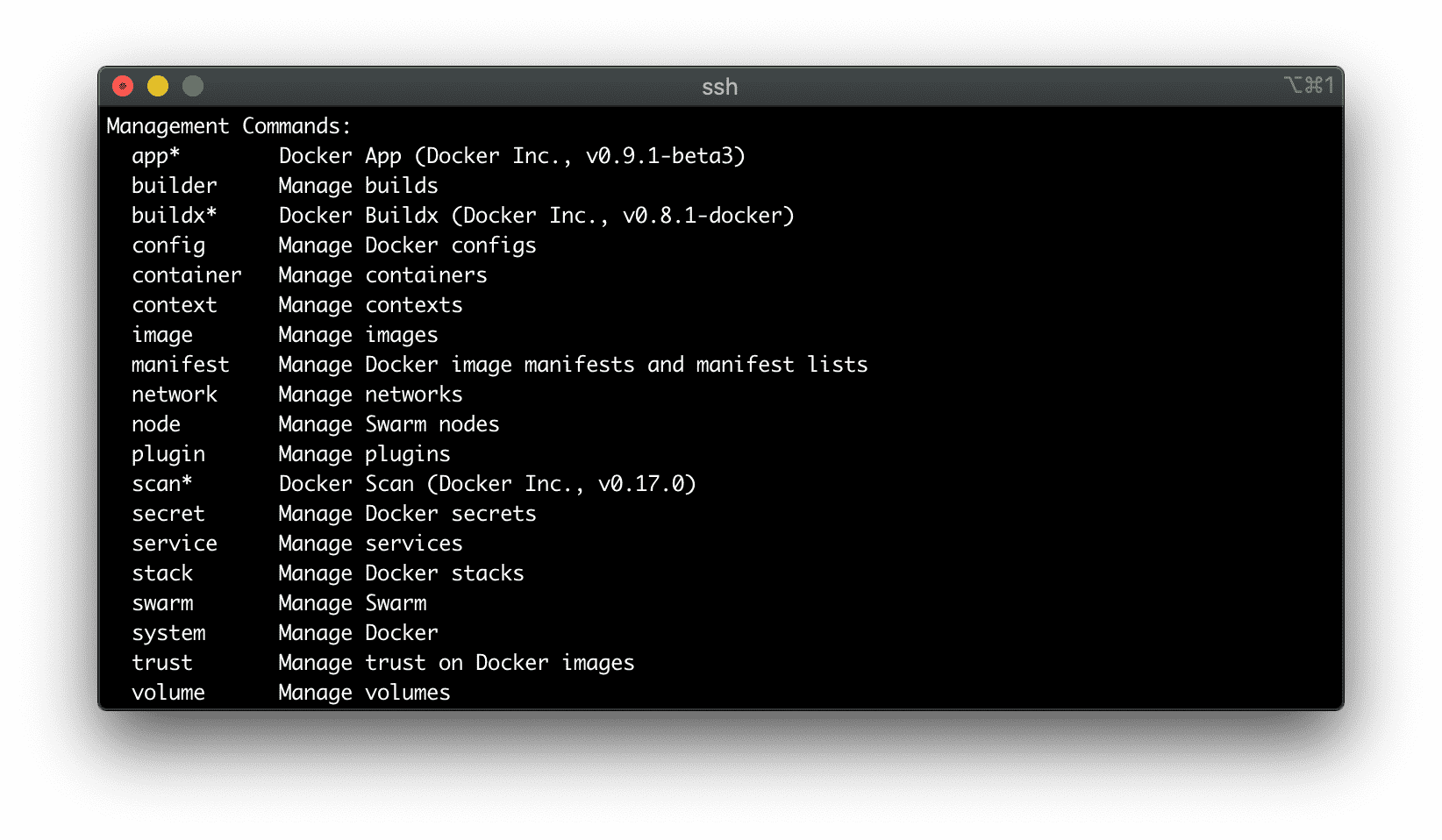
Docker tries to control the complexity of its CLI by employing a neat grouping technique. The first thing you see after running docker help is a list of so-called Management Commands - umbrella entry points gathering the actual commands by their area of responsibility. But even this list is no short, and it's actually a list of lists!

The list of Docker Management Commands.

Also, historically, many commands are known through their shorter but vaguer aliases - for instance, you'd rather stumble upon docker ps than docker container list in the wild. So, the struggle is real 🤪

However, there might be a way to internalize (at least some of) the most important Docker commands without the brute-force memorization!

The goal of this article is to show how a tiny bit of understanding of the containers' nature can help you master Docker's CLI, starting from the most foundational group of commands - commands to manage containers.

Read more

Learning Docker with Docker - Toying With DinD For Fun And Profit

Here is a little exercise to deepen your understanding of containers... through toying with them 🧸 The goal is to show that containers aren't just Linux processes, they are also Linux files!

The idea is simple - take a Linux machine equipped with the Docker daemon and run on it a bunch of well-known commands like docker create|start|exec|... keeping a close eye on the machine's filesystem and hoping for an interesting discovery or two.

Read more

How To Extend Kubernetes API - Kubernetes vs. Django

There are many ways to extend Kubernetes with custom functionality, starting from writing kubectl plugins and ending with implementing scheduler extensions. The exhaustive list of extension points can be found in the official docs, but if there were a ranking based on the hype around the approach, I bet developing custom controllers or operators, if you will, would win.

The idea behind Kubernetes controllers is simple yet powerful - you describe the desired state of the system, persist it to Kubernetes, and then wait until controllers do their job and bring the actual state of the cluster close enough to the desired one (or report a failure).

However, while controllers get a lot of the press attention, in my opinion, writing custom controllers most of the time should be seen as just one (potentially optional) part of the broader task of extending the Kubernetes API. But to notice that, a decent familiarity with a typical workflow is required.

Read more